The example shows how to use KoolSlideMenu for application Registration
span style="color: #ff0000;">"/KoolSlideMenu/koolslidemenu.php""/KoolAjax/koolajax.php""functions.php""ksm");
	$ksm->scriptFolder =  $KoolControlsFolder."/KoolSlideMenu";
	$ksm->styleFolder = $KoolControlsFolder."KoolSlideMenu/styles/darkgray""root","step1","Step1 : Account information");
	$ksm->addPanel( "step1", "Pstep1""root","step2","<span class='hid' id='wstep2' >Step2 : Newsletter options </span>");
	$ksm->addPanel( "step2", "Pstep2""root","step3","<span class='hid' id='wstep3' >Step3 : Terms of use </span>");
	$ksm->addPanel( "step3", "Pstep3""500px""regisForm""$KoolControlsFolder/koolajax/loading/1.gif" , "white""task""task" ] == "done"'<div style="height:auto;width:500px;" id="registration-form">
						<div id="my-tit" >Registration form</div><br/>
						<div >'"data"'</div>''	<script type="text/javascript" src="functions.js"></script>
					<div style="height:auto;width:500px;" id="registration-form">
						<div id="my-tit" >Registration form</div><br/>
						<div >''</div>
						<input type="hidden" name="data" value="" />
						<input type="hidden" name="task" value="" />
						<script language="javascript">
							ksm.registerEvent("OnBeforeExpand",OnBeforeExpand_handle);
						</script>
					</div>'"cssRegisForm""stylesheet" href="example.css" />
<script type="text/javascript""0000""1111" ){
			ksm.getItem( "step2""You must finish step 1 before continuousing with step 2""list""step3""You must check at least one option before continuousing with step 3""agree""list"" checked=\"checked\" """"txtName" ).value + ".::.""txtMail" ).value + ".::."".::."".::.""data""task" , "done""You must agree with our Terms & Conditions !""task" , "restart""0000"
span style="color: #ff0000;">'
<div class="my-bg padd-top frm-height" >
<div>
<ul class="formList" id="accountInfo">
<li class="li1" >
<label for="txtName" id="">Account Name:</label>
<input name="txtName" type="text" id="txtName" class="textInput" style="width:100px;" onchange="checkAccName();" />
<span id="accNoteWord" class="" style="color:brown;"></span>
</li>
<li class="li2">
<label for="txtPass" id="">Password:</label>
<input name="txtPass" type="password" id="txtPass" class="textInput" style="width:110px;" onchange="checkAccPass();" />
<span id="passNoteWord" style="color:brown;"></span>
</li>
<li class="li3">
<label for="txtRepass" id="">Confirm Password:</label>
<input name="txtRepass" type="password" id="txtRepass" class="textInput" style="width:110px;" onchange="checkAccCfmPass();" />
<span id="repassNoteWord" style="color:brown;"></span>
</li>
<li class="li4">
<label for="txtMail" id="">Email:</label>
<input name="txtMail" type="text" id="txtMail" class="textInput" style="width:115px;" onchange="checkEmail();" />
<span id="mailNoteWord" style="color:brown;"></span>
</li>
</ul>
</div>
<br />
<input type="button" name="btnStep1" value="Next" onclick="dostep1();" id="" class="nextButton" />
</div> ''
<div class="my-bg">
<ul class="formList" id="news">
<li>Receive email notification for:</li>
<li>
<input id="" name="list" value="1" type="checkbox"> <label for="" id="" class="checkboxLabel">Product Updates</label>
</li>
<li>
<input id="" name="list" value="2" type="checkbox"> <label for="" id="" class="checkboxLabel">Promotions</label>
</li>
<li class="">
<input id="" name="list" value="3" type="checkbox"> <label for="" id="" class="checkboxLabel">Corporate News</label>
</li>
</ul>
<br>
<input name="" value="Next" onclick="dostep2()" id="" class="nextButton" type="button"><br><br>
</div> ''
<div class="my-bg" >
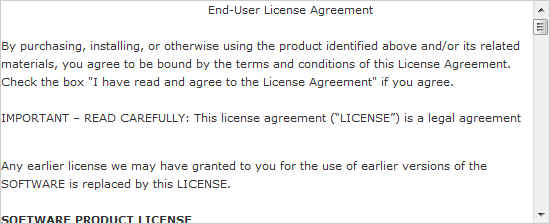
<img src="terms.gif" alt="sample terms" width="480" height="200">
<br><br>
<input id="" name="agree" type="checkbox"> <label for="" id="" class="checkboxLabel">I agree to the Terms & Conditions</label>
<span id="" style="color: Red; visibility: hidden;">*</span>
<br>
<input name="" value="Register" onclick="dostep3()" id="" class="nextButton" type="button">
<br><br>
</div>'".::."'
<div id="my-sucess">
<div class="my-padd-suc my-dimension ">
<b class="sucess">Registration sucessful !</b>
<br />
<br />
<div style="float: left; width: 230px; padding-top: 20px;">
<b>You account details : </b> <br/><br/>
<ul style="list-style-type: none; list-style-image: none; list-style-position: outside;">
<li style="text-align: left;">
Account Name: <span id="previewControl_accountName">'.$str[0].'</span>
<br>
Email Address: <span id="previewControl_email">'.$str[1].'</span>
</li>
</ul>
</div>
<div style="float: left; width: 230px; padding-top: 20px;">
<b>Your options details :</b><br/><br/>
<ul style="list-style-type: none; list-style-image: none; list-style-position: outside;">
<li>
<input id="" name="FinalList" '.$str[2].' type="checkbox"> Product Updates
<br>
<input id="" name="FinalList" '.$str[3].' type="checkbox"> Promotions
<br>
<input id="" name="FinalList" '.$str[4].' type="checkbox"> Corporate News
<br>
</li>
</ul>
</div><br style="clear:both;"/><br/><br/>
<i>You will received mail to active account on your box, please check carefully in your bulk if you dont find the mail on inbox.</i>
<input name="backButton" value="Done" onclick="Back();" id="backButton" class="nextButton" style="margin: 10px 0pt 30px 25px;" type="button">
</div>
</div>'
span style="color: #ff0000;">'step2'"0" ) > -1 ){
			alert( "You must finish step 1 before continuousing with step 2""wstep2""showw"'step3'"You must finish step 2 before continuousing with step 3""wstep3""showw"'step1'"txtName""""accNoteWord" ).innerHTML = "" ;
		checkArr[0] = "1""accNoteWord" ).innerHTML = "Account Name must more than 4 characters." ;
		checkArr[0] = "0""txtPass""""passNoteWord" ).innerHTML = "" ;
		checkArr[1] = "1""passNoteWord" ).innerHTML = "Password must more than 4 characters." ;
		checkArr[1] = "0""txtRepass""txtPass""""repassNoteWord" ).innerHTML = "" ;
		checkArr[2] = "1""repassNoteWord" ).innerHTML = "Password and confirm pass does not match." ;
		checkArr[2] = "0""txtMail""""mailNoteWord""" : "Email is not valid.""1" : "0" ;
	step1ok =  checkArr[0] +  checkArr[1] +  checkArr[2] + checkArr[3] ;
}

 KoolSlideMenu - Excellent PHP MenuFullVersion 1.6.0.0 released on 04/16/2012